Corporate Event Success: Using a 360 Video Booth to Engage Attendees
Why a 360 video booth works for corporate events
Corporate events often struggle with one thing: keeping guests engaged beyond the buffet line and the keynote speech. People attend meetings, conferences, and holiday parties with different expectations, and it takes something novel to bring them together. That is where a 360 video booth enters the picture. Unlike a standard photo booth that captures a single frame, a 360 video booth records a slow-motion video around the subject, creating a short clip that feels cinematic. Guests step onto a small platform or stand in a marked circle, and a camera arm rotates around them. The result is a shareable, fun memory that fits perfectly into brand messaging and social sharing.
Step 1: Define your goal and match it to the booth setup
Before you book anything, decide what you want the booth to achieve. Are you trying to boost employee engagement during a long conference? Do you want to highlight a new product or a holiday theme? Or is the main purpose simply to give people a reason to mingle and laugh? Each goal points toward a different setup. For a product launch, you might want branded backdrops and props that tie into the product. For a holiday party, festive decorations and themed overlays work better. The 360 video booth itself stays the same, but the surrounding elements change the tone entirely.
What to watch for
Make sure the booth operator understands your event's flow. If the booth is placed in a high-traffic area near the bar or the registration desk, guests will naturally gravitate toward it. But if it is tucked away in a corner behind a partition, many people will never find it. Talk with the rental company about foot traffic patterns and peak moments. Also, check whether the booth can handle the expected number of guests. A slow-moving line frustrates people, while a fast, efficient operator keeps the energy up.
Step 2: Choose a booth style that fits your space and crowd
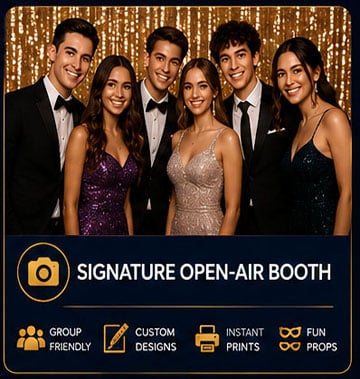
Not all 360 video booths are identical. Some are open-air rigs that require a 15-foot diameter, while others are more compact. For a corporate event, you usually want a setup that allows multiple people to enter the frame together. Group clips work well because they capture team spirit and encourage people to bring their colleagues into the shot. The booth should also offer custom branding options. For example, you can add your company logo as a watermark or overlay on every video. This turns each clip into a piece of brand messaging that guests can share on their social feeds.
What to watch for
If your venue has low ceilings or narrow hallways, the rotating camera arm might not fit. Ask the rental provider for the minimum ceiling height and floor space required. Also, consider the lighting. A 360 video booth relies on even, consistent light to produce a clean clip. If the event space is dimly lit or has mixed lighting sources, the booth should bring its own lighting rig. Otherwise, the videos may come out too dark or with strange color casts.
Step 3: Plan the guest experience from queue to share
The best 360 video booth experiences feel effortless. Guests should walk up, understand quickly what to do, and get their video within seconds. A good setup includes a clear instruction sign, a staff member who guides each group, and a simple way to receive the finished clip. Most modern booths let people scan a QR code or enter their phone number to receive the video directly. Some also offer instant social sharing, which feeds into the event activation strategy.
What to watch for
If the sharing process requires guests to download an app or create an account, participation will drop sharply. Keep it frictionless: a tap to text or a scan to save works best. Also, think about privacy. Some corporate events involve sensitive information or high-profile attendees. If that is the case, offer an option to receive the video privately rather than posting it to a public gallery. A staffed booth can handle this gracefully by asking each group about their preference.
Step 4: Integrate the booth into the event timeline
A 360 video booth should not be an afterthought that runs all day in a corner. Plan specific time slots when the booth is a featured activity. For example, open the booth during the cocktail hour before dinner, or schedule it as a mid-afternoon break during a long conference. This creates natural peaks of activity and prevents the booth from feeling like a background distraction. When the booth is tied to a specific time, guests are more likely to make a point of visiting it.
What to watch for
If the booth is too popular, the line will grow long and people may give up. If it is not popular enough, the operator will stand idle. Strike a balance by limiting the booth to a set number of hours and promoting it through the event app or announcements. Some rental companies offer a reservation system where guests can book a time slot. This works especially well for large events with hundreds of attendees.
Step 5: Use the content after the event
The real value of a 360 video booth extends beyond the event itself. Every clip is a piece of user-generated content that you can repurpose for social media, internal newsletters, or even next year's event promotion. Ask the booth provider for a full library of the videos after the event. With permission from the guests, you can create a highlight reel that captures the energy of the day. This extends the life of your brand messaging and gives attendees a reason to keep talking about the event.

What to watch for
Make sure the rental agreement includes a clause about content ownership and usage rights. Some companies retain rights to the videos for their own marketing. You want a clear arrangement that lets you use the clips as you see fit. Also, check whether the videos are delivered in a standard format like MP4 or MOV, and whether they are watermarked with the rental company's logo. A clean, unbranded video is more versatile for your future needs.
Step 6: Add a theme or challenge to boost participation
People love a little friendly competition. If your corporate event has a holiday theme, invite guests to strike the most festive pose or create a short skit in the booth. For a product launch, ask teams to incorporate the product into their video. You can even run a contest where the best video wins a prize. This raises employee engagement and gives people a reason to watch each other's clips afterward. The 360 video booth becomes a hub of activity rather than just a passive machine.
What to watch for
Keep the rules simple. If the challenge requires too much explanation, people will skip it. A sign with a single instruction and a visible prize works best. Also, make sure the booth operator is comfortable managing a contest. They can track entries and help with judging if needed. Finally, avoid anything that could be seen as exclusionary. Not everyone wants to be on camera, so offer a way to participate without being filmed, such as holding a prop or cheering from the side.
Step 7: Evaluate the return on the experience
After the event, measure the booth's impact. Look at how many videos were created, how many were shared, and what kind of comments or engagement they received. If the booth was part of a broader event activation, compare attendance and energy levels during booth hours versus other times. A well-run 360 video booth can become a staple of your corporate event planning. The feedback from attendees often mentions it as a highlight, which is exactly what you want from an interactive experience.
What to watch for
Do not confuse quantity with quality. A hundred boring videos do not do as much good as twenty enthusiastic ones. Focus on whether guests had fun and whether the content reflects your brand in a positive light. If you plan to use the videos publicly, get proper consent. Many rental companies include a waiver in the process, but you should confirm that every participant has agreed to being filmed and shared.
Final thoughts
Using a 360 video booth at a corporate event is not about having the flashiest gadget in the room. It is about creating a shared moment that people remember. When you plan the booth's placement, timing, and integration carefully, it becomes a natural part of the event rather than a gimmick. For more information on how to set up a 360 video booth for your next corporate gathering, you can visit extremephotobooths.com to see the options available. The key is to treat the booth as an event activation tool, not just a novelty. With thoughtful execution, it can turn a standard corporate event into something people talk about for months.
Remember that the booth experience extends beyond the event day. The videos you collect can feed into your internal communications, social media channels, and even your recruiting materials. Prospects want to see what it is like to work at your company. A reel of happy employees laughing together in a 360 video booth sends a powerful message. It says your organization values fun and connection. And that kind of brand messaging is hard to replicate with any other tool. If you are curious about the logistics and pricing for a 360 video booth, a quick look at extremephotobooths.com will give you a sense of what is possible for your next event.